01
SEE YOUR MOVEMENT
The story behind the rep.
Go beyond sets and reps. Explore your movement in 3D and see how your path changes throughout a set.
 barpath.App Store
A LITTLE DATA. A BETTER LIFT.
You put in the work. See what it tells you.
Turn Apple Watch motion data into meaningful feedback for your next set.
Built for Apple Watch + iPhone
135 lbWeight
6Reps
6/10Intensity
Navy: velocity · Dashed plum: rep windows
An interactive adaptation of BarPath’s app screens. Synthetic data, no live tracking.
MORE THAN A WORKOUT LOG
There’s more to a good set than the number on the bar. Get a better feel for your training with a closer look at your movement.
SEE YOUR MOVEMENT
Go beyond sets and reps. Explore your movement in 3D and see how your path changes throughout a set.
UNDERSTAND YOUR EFFORT
Review velocity and set intensity to get a clearer picture of how hard you’re working, rep by rep.
BUILD CONSISTENCY
Compare movement patterns across a set. Spot changes in tempo and range of motion that a rep count can’t show.
IN YOUR RHYTHM
Stay in the session. BarPath brings your watch and phone together, from your first rep to your next decision.
Choose your exercise and record each set on Apple Watch. No camera angles to get right.
Open your iPhone for movement replay, velocity graphs, and rep-by-rep comparisons.
Use your data and AI feedback to make more informed decisions about load and effort.
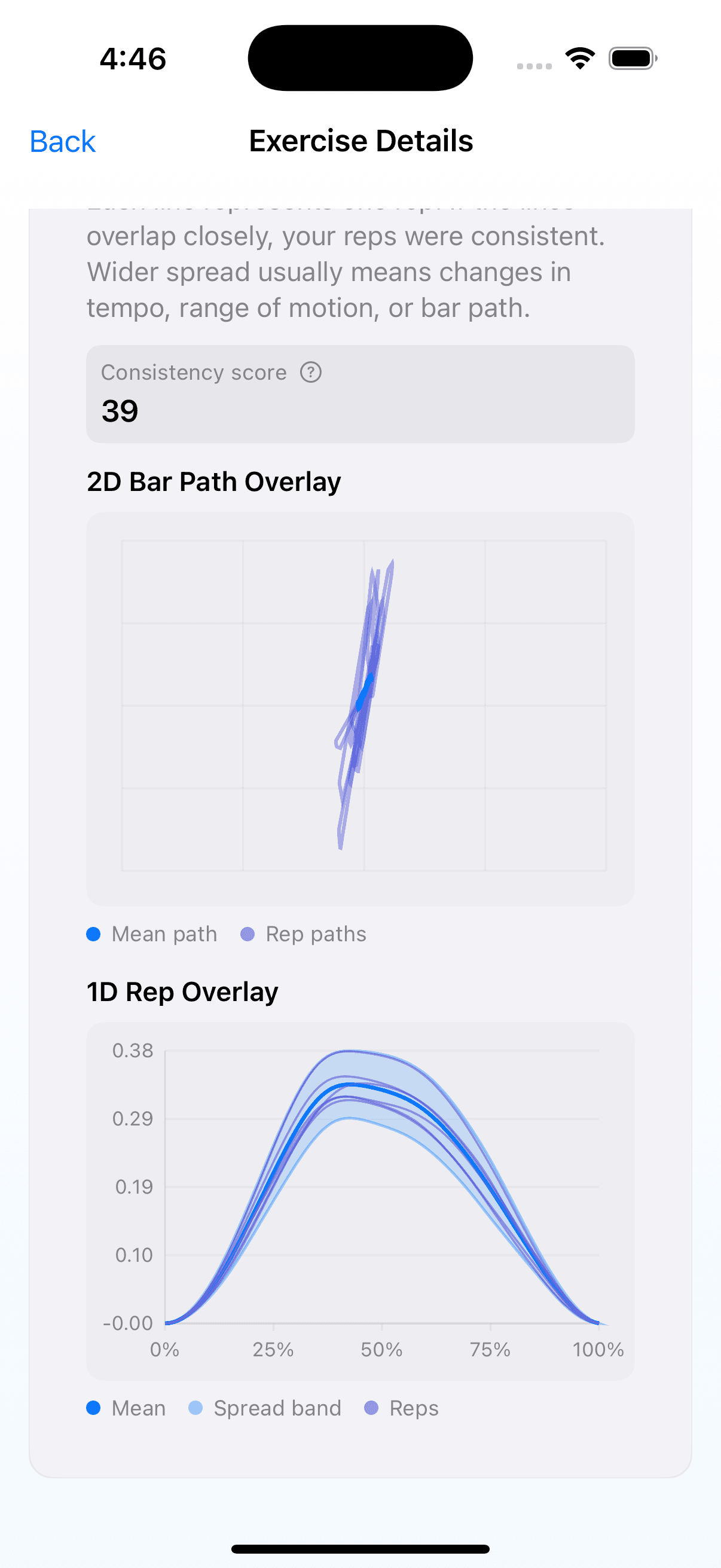
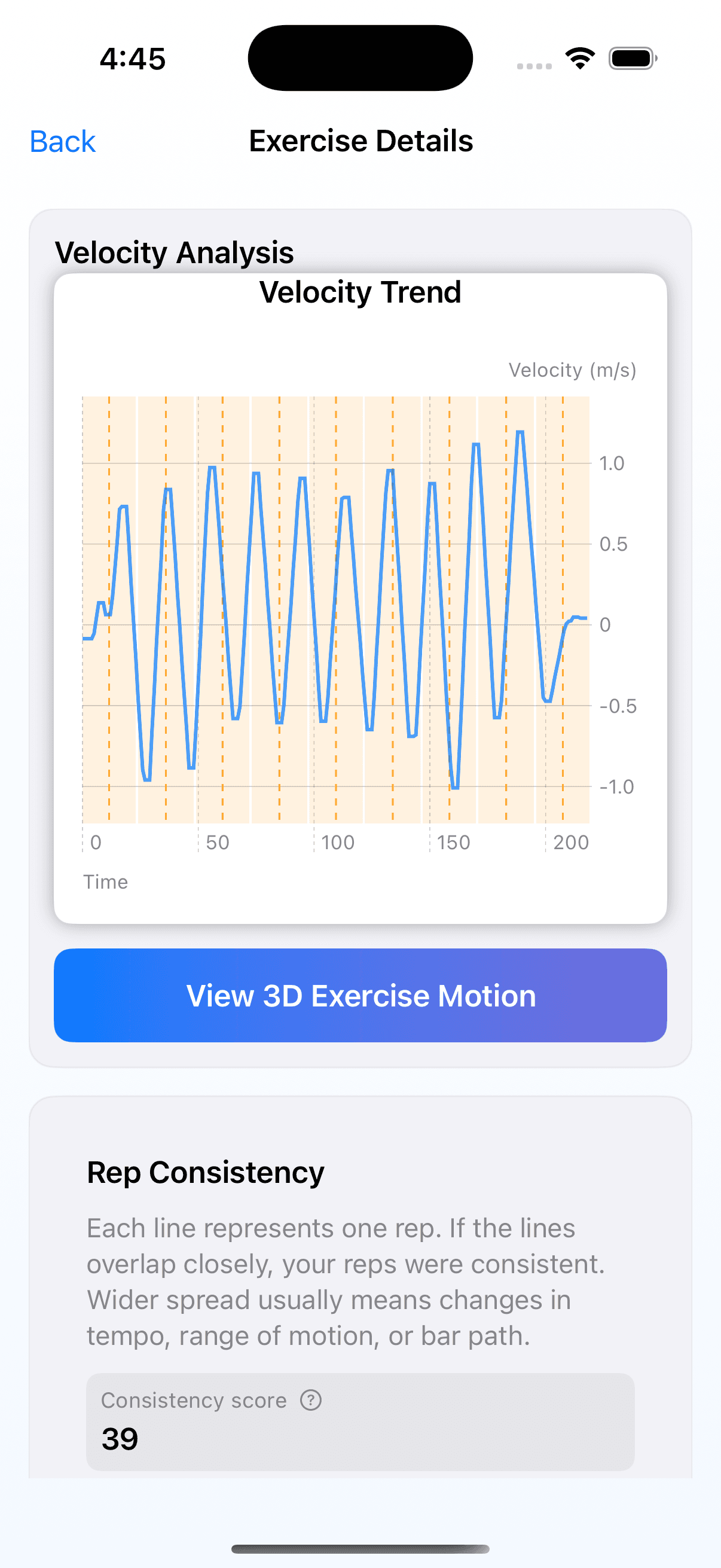
Actual app screens · Example workout data
BarPath is designed for Apple Watch and iPhone. Record your sets on your watch, then review your workout and movement analysis on your phone. There’s no camera setup or separate motion sensor to bring to the gym.
Review your reps, set intensity, velocity, and movement consistency. Motion replay and rep overlays help you take a closer look at how you moved throughout the set.
BarPath offers data and AI-generated feedback to support your training decisions. It doesn’t replace qualified coaching or medical advice. Use the insights alongside how you feel and guidance from your coach.
Download BarPath on the App Store for iPhone and Apple Watch. You can review compatibility and pricing on the listing.
YOUR NEXT SET STARTS HERE
A clearer view of your movement.
A more intentional way to train.